
Why Monitors Fail in 24/7 Manufacturing Environments and How Industrial Displays Help Prevent It
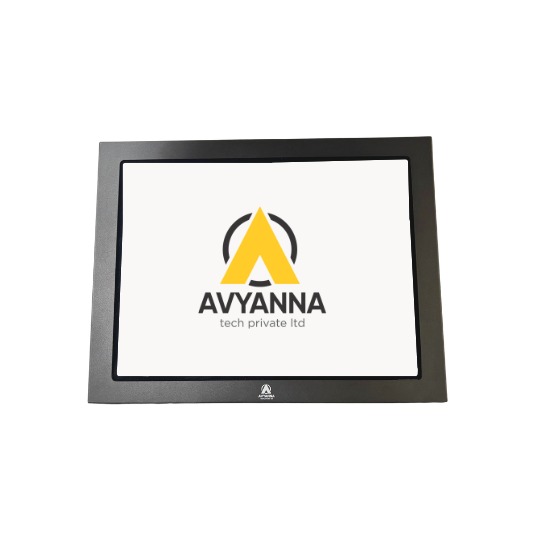
Why Monitors Fail in 24/7 Manufacturing Environments & How Industrial Displays Help Prevent It
Manufacturing environments place very different demands on display systems compared to offices or commercial spaces. A monitor used on a production floor may operate continuously for 24 hours a day while being exposed to dust, heat, vibration, moisture, electrical disturbances, and frequent operator interaction.
These conditions can gradually affect monitor performance and lead to unexpected failures, particularly when a standard commercial display is used in an environment it was not designed to handle.
This article explains the common environmental and operational factors that can cause monitor failures in 24/7 manufacturing environments and how choosing the right industrial-grade monitor can help reduce these risks.
Why 24/7 Manufacturing Environments Are Challenging for Monitors
An office monitor typically operates for a limited number of hours in a controlled environment. In contrast, monitors used on factory floors may run continuously for years while facing challenging operating conditions.
Common environmental challenges include:
- Airborne dust and particles
- High operating temperatures
- Continuous vibration from machinery
- Moisture and liquid exposure
- Electrical noise and power fluctuations
- Frequent touchscreen operation
- Continuous backlight usage
When the monitor specifications do not match these operating conditions, component degradation and premature failure can occur.
Common Causes of Monitor Failure in Manufacturing Environments
1. Dust and Particulate Ingress
Manufacturing environments such as machining, packaging, and material handling facilities often contain airborne dust and particles.
Standard monitors may have ventilation openings that allow dust to enter internal components. Over time, accumulated dust can trap heat, affect electronic components, and contribute to overheating or display failure.
How Industrial Displays Help: Industrial monitors with sealed and fanless designs can provide better protection against dust ingress. Choosing an appropriate IP-rated enclosure helps ensure the display is suitable for the operating environment.
2. Excessive Heat and Inadequate Cooling
Monitors installed near ovens, furnaces, machinery, or other heat-generating equipment may be exposed to temperatures higher than typical office conditions.
Continuous exposure to excessive heat can accelerate component degradation, reduce backlight life, and potentially cause thermal shutdown.
How Industrial Displays Help: Industrial monitors are designed with wider operating temperature ranges and thermal management suitable for demanding environments. Selecting a monitor based on the actual temperature conditions of the installation area can help improve reliability.
3. Vibration from Nearby Machinery
Equipment such as conveyors, stamping presses, motors, and rotating machinery can create continuous vibration.
Over time, excessive vibration may affect internal connections and sensitive electronic components, potentially resulting in:
- Display flickering
- Intermittent connectivity
- Loose internal connections
- Unexpected display failure
How Industrial Displays Help: Industrial-grade monitors are designed with more robust construction and may include vibration and shock resistance suitable for factory environments.
4. Moisture and Liquid Exposure
Humid environments, washdown areas, and accidental liquid spills can create significant risks for electronic displays.
Moisture entering a monitor enclosure may cause corrosion, electrical faults, or damage to internal circuitry.
How Industrial Displays Help: Industrial monitors with appropriate IP-rated sealed enclosures can provide protection against dust, water, and other environmental contaminants, depending on the application requirements.
5. High-Frequency Touchscreen Usage
Touchscreen monitors used by operators across multiple shifts experience significantly more interaction than standard office displays.
Over time, unsuitable touch technology may result in:
- Reduced touch sensitivity
- Dead zones
- Inconsistent touch response
- Difficulty operating with gloves
How Industrial Displays Help: Industrial touchscreen monitors are available with technologies such as PCAP and resistive touch, allowing businesses to select a solution based on factors such as glove use, operating environment, and application requirements.
6. Electrical Noise and Power Fluctuations
Industrial facilities often operate equipment such as motors, drives, and other high-power machinery that can create electrical disturbances.
Voltage fluctuations, transients, and electromagnetic interference may affect monitor performance and contribute to component stress.
How Industrial Displays Help: Industrial display solutions can include power protection and filtering features designed to improve reliability in electrically demanding industrial environments.
7. Continuous Backlight Usage
A monitor operating 24/7 places continuous demand on its backlight system.
Over extended periods, this may result in:
- Reduced brightness
- Uneven illumination
- Display dimming
- Backlight failure
How Industrial Displays Help: Industrial monitors designed for continuous operation typically use long-life display components suitable for applications requiring extended operating hours.
Common Failure Risks and How Industrial Displays Help
| Cause | Potential Failure Mechanism | How Industrial Displays Help |
| Dust ingress | Component overheating and insulation buildup | Sealed enclosure and fanless design |
| Excessive heat | Accelerated component or backlight degradation | Extended operating temperature range |
| Vibration | Loose connections and damaged components | Vibration-resistant internal construction |
| Moisture exposure | Short circuits and corrosion | IP-rated sealed enclosure |
| Touchscreen wear | Reduced sensitivity and dead zones | Industrial-grade touch technology |
| Electrical noise/power fluctuations | Display glitches and component stress | Power filtering and protection |
| Continuous backlight use | Dimming and brightness loss | Long-life backlight designed for continuous operation |
Warning Signs That Your Monitor May Be at Risk
Monitor issues should be addressed before they result in unexpected downtime. Common warning signs include:
- Visible dust accumulation around the enclosure
- Dimming or uneven screen brightness
- Intermittent touchscreen response
- Display flickering
- Connectivity issues near operating machinery
- Fogging or discoloration behind the screen
- Performance issues during high-temperature conditions
Identifying these signs early can help businesses assess whether the existing monitor is suitable for its operating environment.
How to Choose the Right Industrial Monitor for a 24/7 Environment
Before selecting an industrial monitor, evaluate the actual conditions where it will be installed.
Consider the following factors:
- IP Rating: Choose protection based on dust, moisture, and washdown requirements.
- Operating Temperature: Ensure the monitor’s rated temperature range matches the actual factory environment.
- Vibration and Shock Resistance: Important for installations near heavy machinery, conveyors, and rotating equipment.
- Touch Technology: Consider whether operators require glove compatibility, frequent touch operation, or multi-touch functionality.
- Continuous Operation Requirements: Check whether the monitor is designed for reliable 24/7 operation.
- Power Protection: Evaluate the electrical environment and potential exposure to voltage fluctuations or electrical noise.
Frequently Asked Questions
1. What causes monitors to fail in manufacturing environments?
Common causes include dust, excessive heat, vibration, moisture exposure, electrical disturbances, frequent touchscreen usage, and continuous operation.
2. Why are standard commercial monitors not always suitable for industrial environments?
Commercial monitors are generally designed for controlled indoor environments. Manufacturing applications may require additional protection against dust, heat, vibration, moisture, and continuous operation.
3. Can vibration affect monitor performance?
Yes. Continuous vibration from nearby machinery can affect internal connections and components over time, potentially causing flickering or intermittent display issues.
4. What should I consider when choosing an industrial monitor?
Key factors include IP rating, operating temperature range, vibration resistance, touch technology, continuous operating requirements, and power protection.
Choose a Monitor Based on Your Operating Environment
The purpose of selecting an industrial monitor is not simply to choose a more rugged display. It is to match the monitor specifications with the actual conditions of the application.
Dust, heat, vibration, moisture, electrical disturbances, and continuous operation can all affect display reliability when the equipment is not designed for those conditions. Evaluating these environmental factors before installation can help reduce the risk of unexpected downtime and premature replacement.
At Avyanna Tech, we help businesses select industrial monitors and touchscreen display solutions based on their specific application and operating environment. Contact our team to explore suitable industrial display solutions for your requirements.
[email protected]